websockets - part II
Date: 2021-02-10
Author: Andrew
Lots of progress today. Firstly the error that was being thrown was fixed by changing the version of FlaskSocketIO to 4.3.2 - that seemed to do the trick.
Next was confirming that the connection was being established and a bit more tweaking got us there. On the server side the messages started flowing through.
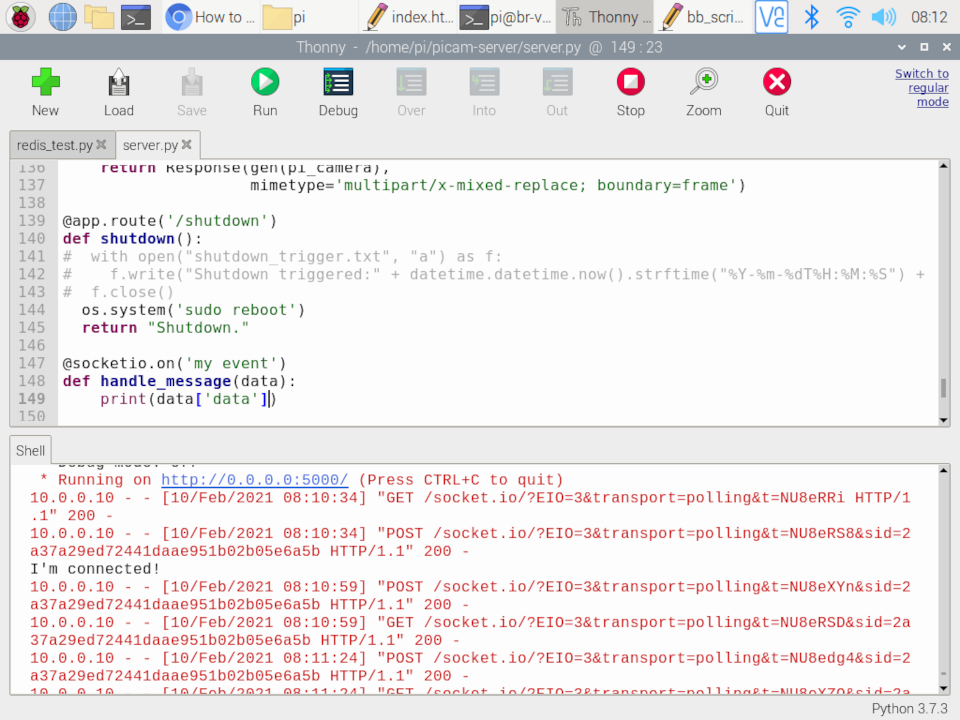
Next was to add a server response which again was not too tricky and so everything was going smoothly. Displaying the server response on the web page UI went well. Burning along with each step being relatively problem free.
Next was taking the code from the redis test from a couple of days ago which triggers the loading of the ram stats (total and available) into redis and then reading them back. Inserted that into the server response code so that when the websocket connects, the server load ram into redis, reads it back and sends it through to the UI. Small bobble here as I worked out how to jsonify it at the server end and decode it at the UI end. Flipping between python and javascript can lead to some dumb errors - like forgetting the ; on the javascript code :)
But soon I had that figured out and the display code working as well. And so now as soon as the websocket is going it returns the total ram available on the Pi! Wu-Hoo!
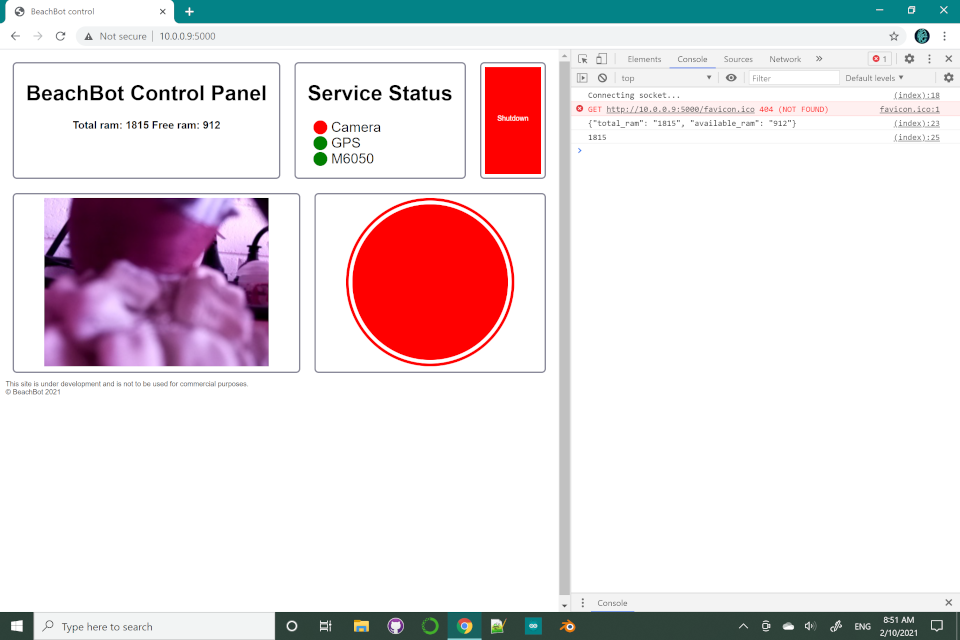
You can see the ram status in the box on the top left.
- Next: redis pub/sub with websockets - part I
- Previous: websockets - part I